Two weeks ago we launched Muranyi-3, our most powerful AI game model yet. Since then we have spent every day making the product around it better.
This is not a new model. It is a quieter release, but a meaningful one — and it touches almost every part of the studio.
Credits, done right
If you bought credits and they just sat there while we kept nudging you to subscribe — that is fixed. If you have credits on your account, you can spend them. Full stop.
And credits will not get “eaten” on you anymore. You only pay for work that actually completes.
A cleaner studio
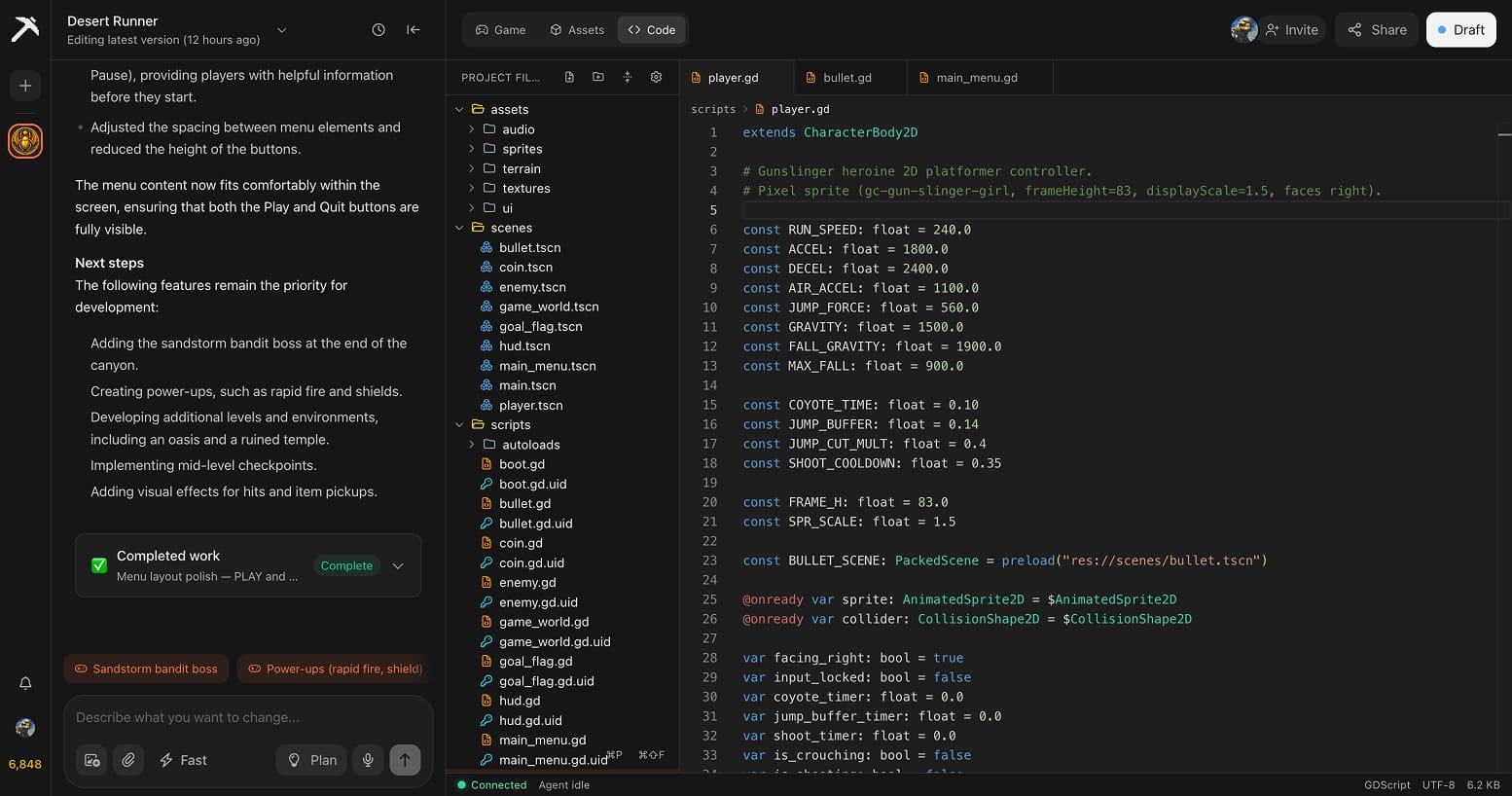
The Tesana studio has had its biggest UI refresh since launch.
The chat panel is more compact and easier to follow. Thinking, edits, and builds all flow together inline, so you can see what the AI is doing at a glance.
Every file the AI touches now shows a clear inline diff right in the chat. You see exactly what changed — line by line — and you can spot anything you want to undo without rolling back the whole generation.
A rebuilt assets page
Your game’s assets — every 3D model, texture, image, sound effect — now have a proper home.
The assets page has been redesigned from the ground up. Everything is grouped by type, with previews that actually preview, a side panel that lets you browse your project like a real file tree, and a clean layout that scales as your game grows.
It is also a lot more powerful. Hover over any asset and you get two new buttons: regenerate and delete.
- Regenerate remakes the asset using the original prompt the AI used to create it the first time. Did not love the result? One click and a fresh version arrives. No need to remember what you asked for — Tesana remembers it for you.
- Delete removes an asset cleanly from your game, with a confirmation step so you never lose anything by accident.
Together, this turns the assets page from a place you peeked at into a place you can actually use to shape your game.
Roll back, preview, then decide
Reverting to a past version of your game is now instant — one click and you are playing it.
You can also preview any past version without touching the live one. Try an old idea, compare it to where you are now, and only commit if you actually want to.
Faster and more reliable
A lot of this update is work you should never have to think about. We have spent the last two weeks tuning the platform for the load Muranyi-3 brought.
The result: generations queue less and finish faster, the studio stays snappier under heavy use, and the agent stays focused on bigger projects across longer sessions instead of losing track.
What is next
Muranyi-3 will keep getting better, week by week, in exactly this kind of way. There is more coming we are not ready to share yet — including the Tesana desktop app for Mac and Windows, still on track.
In the meantime: open Tesana and try the new studio.
— The Tesana team